Terminating an employee

If an employee is leaving your payroll, you can use the system to "terminate" their employment. You'll use this if an employee ceases work with you, goes on maternity leave or in any case that requires you to generate a Record of Employment for them.
Here's how:
- Login to your payroll account and navigate to EMPLOYEES -> click the Terminate button
 beside the employee name
 - If you have any outstanding vacation accrued for the employee, you'll see a warning message:
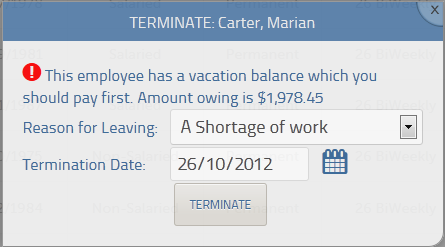
Cancel and go back to the RUN PAYROLL screens to pay out the outstanding vacation first before proceeding. - Once you've cleared any outstanding vacation - specify the reason for leaving and the termination date.
- You'll now be able to generate the Record of Employment for the employee
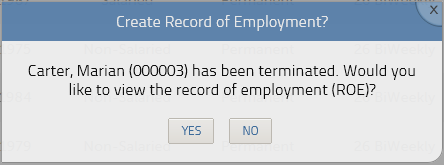
- If you'd like to create the ROE - follow the steps in our ROE guide
Please sign in to leave a comment.
Comments
0 comments